Export your work
Save one frame as an image
When to use this instead of Render Image
Render Image exports an image project. This exports one frame out of a video project: the moment the playhead is sitting on, so it is what you want for a thumbnail, a poster frame, or sending someone a single moment.
- 1
You get the composited frame, not a screenshot of the preview
Everything is included at full project resolution: background, padding, zooms, the 3D scene, cursor and click effects, annotations and text. The preview on screen is scaled down to fit your window; this is not.
Copy a frame to the clipboard
- 1
Put the playhead exactly where you want it
Scrub the timeline, or use the arrow keys for one frame at a time. What you see in the preview is what you get.
- 2
Right-click the preview and choose Copy Frame to Clipboard
Right-clicking a media layer works too: the same two items are at the bottom of that layer's menu, under the separator.
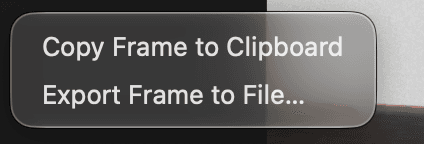
The whole menu on bare preview background, just the two frame actions. - 3
Paste it wherever you need it
It goes on the clipboard as a real bitmap, not a file path, so it pastes as a picture into Slack, Figma, Keynote, or a document.
You should see: A small readout appears under the preview: Copying frame, then Frame copied to clipboard.
Export a frame to a file
- 1
Right-click the preview and choose Export Frame to File
Pick a name and folder in the save sheet. Cancelling leaves the project untouched.
- 2
Wait for Frame exported
The preview pauses while the frame renders and comes back on its own afterwards. A frame with heavy 3D or video layers takes a moment longer.
Things worth knowing
| If | Then |
|---|---|
| The preview says Preview paused during export | That is expected. ShotGlass renders the frame in a separate window and gives the decoders back afterwards |
| You want a different format | Copy and Export both produce PNG, which is lossless and right for interface detail. Use Render Image for JPEG or WebP |
| You want every frame | Export the video instead and pull frames out of the MP4 |
Something missing or out of date?