Edit your video
Change editor settings
Change the colour behind the canvas
- 1
Click the gear at the bottom of the left rail
This opens Settings.
- 2
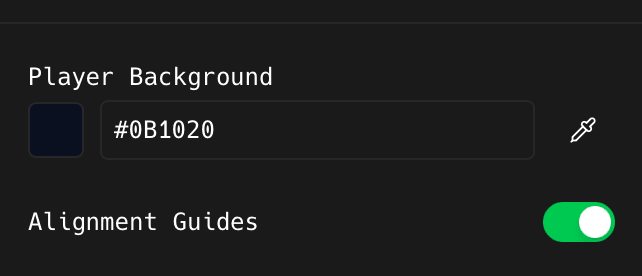
Click the swatch next to Player Background, or type a hex value
The eyedropper on the right picks a colour from anywhere on your screen.
Turn off the snapping guides
- 1
Switch Alignment Guides off
The lines that appear when you drag a layer near the centre or edge disappear. Turn it off when you are nudging something into an exact spot and the snapping fights you.
The rest of the Settings panel
- 1
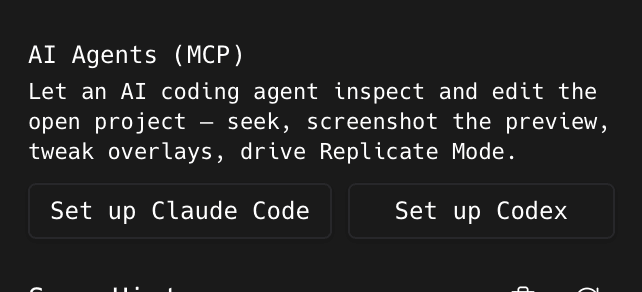
Click Set up Claude Code or Set up Codex to connect an AI agent
This writes the MCP config so the agent can drive the open project.
- 2
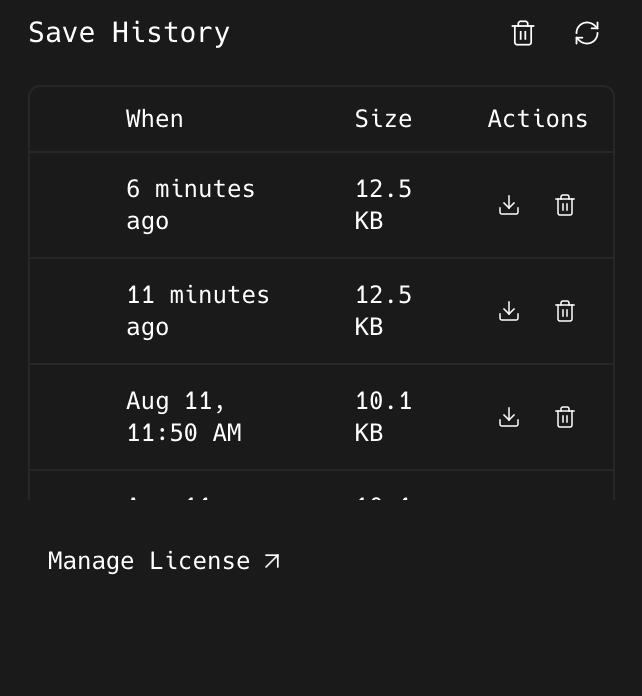
Use Save History to go back to an earlier version
Each row is one save with its age and size. The download icon loads it back; the bin deletes it.
- 3
Click Manage License to open your license portal
At the bottom of the panel.
Something missing or out of date?